" height="38px" id="s7PhIa9un" transform="translate(30.212 21.908)" width="21px"/></svg>)
The Intangible City: Maps Layer That Listens, Breathes, and Guides Through Comfort.
" height="59.99999755566683px" id="MM6SLOagw" transform="translate(7 11) rotate(90 34.5 30)" width="69px"/></svg>)
Client
Goolge (Conceptual)
Role
Product designer
Timeline
3 months
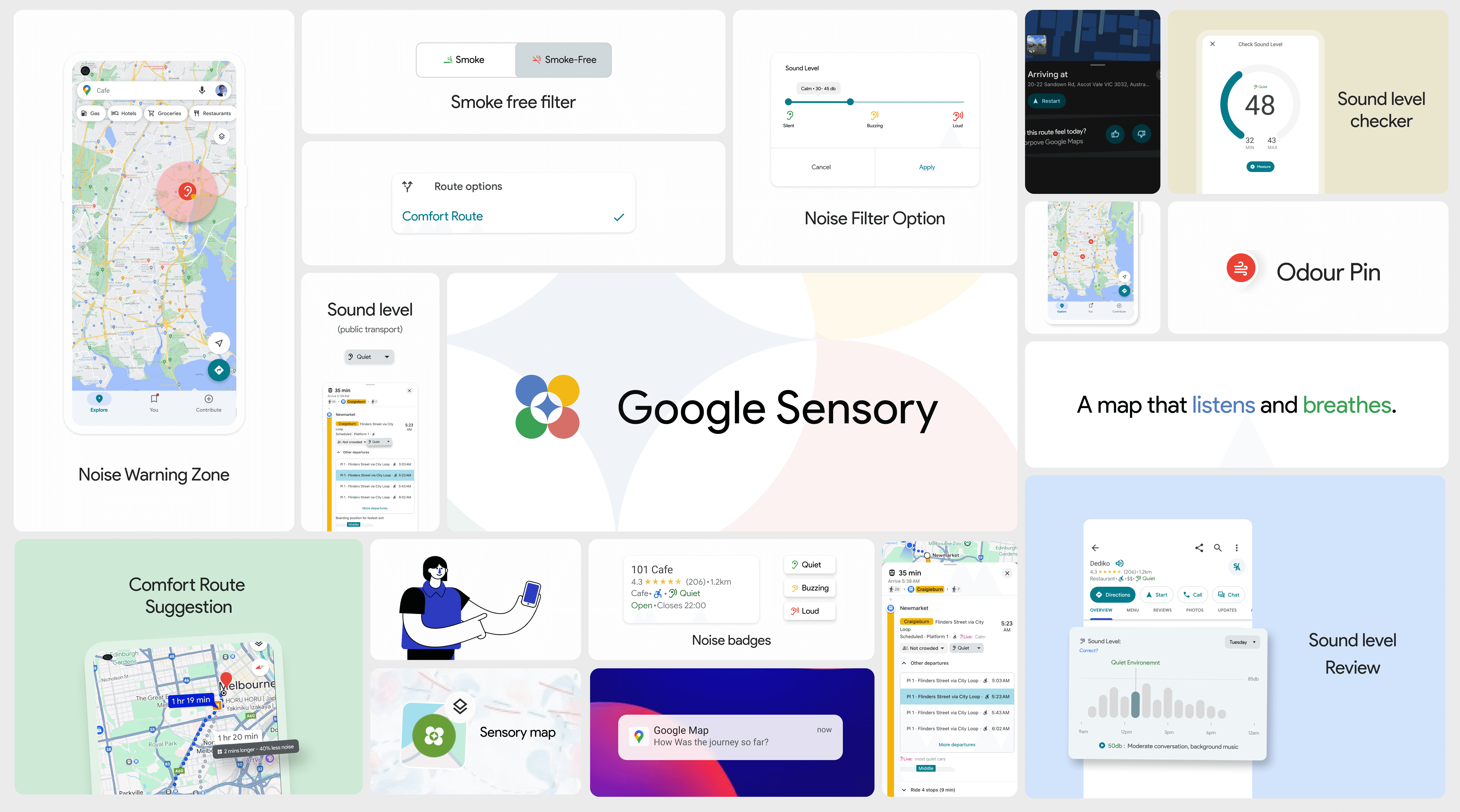
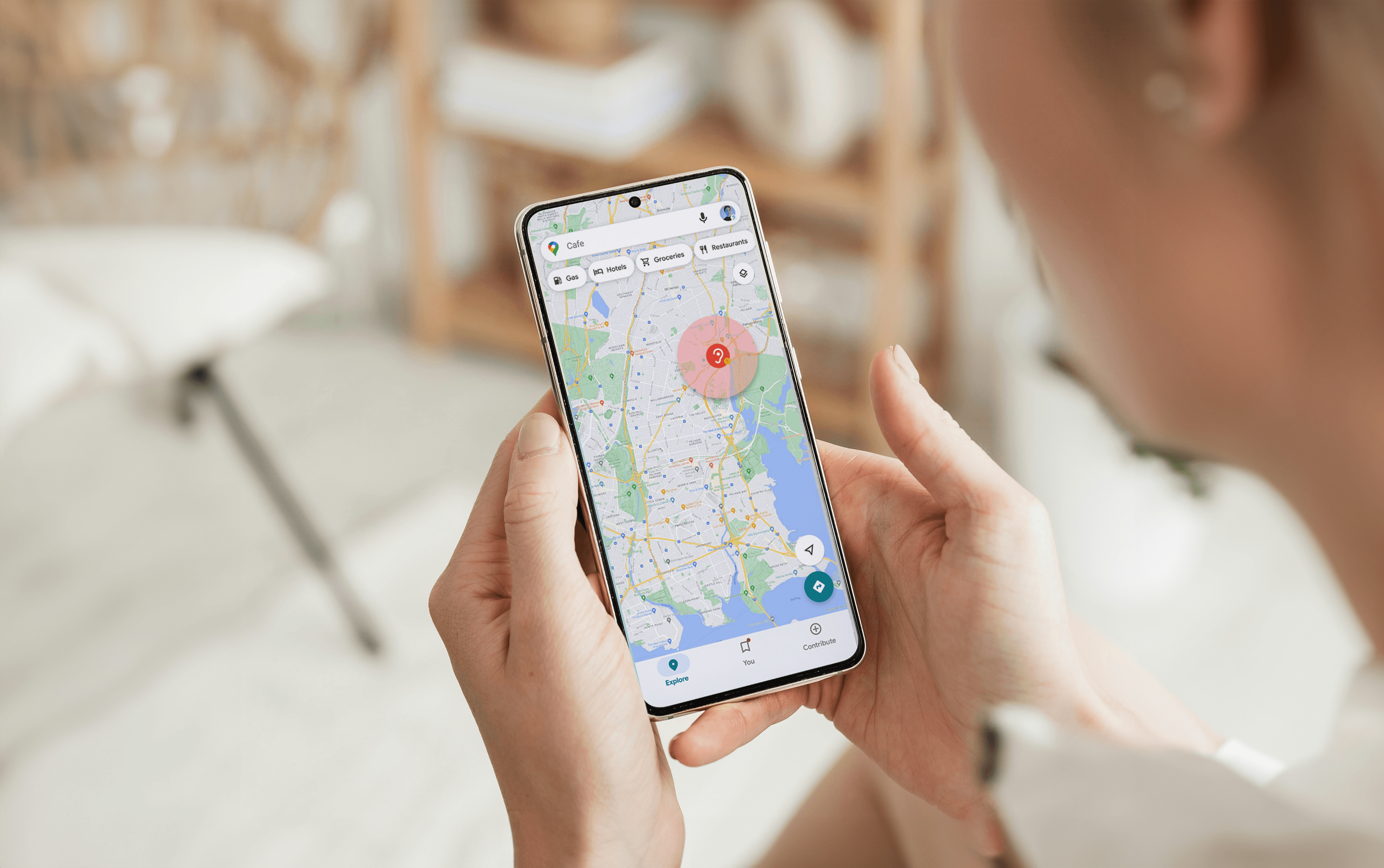
Current navigation apps optimize strictly for efficiency (speed and distance), ignoring the "hidden layer" of sensory data like noise and crowds. This creates barriers for neurodivergent users and anyone seeking calm. For this conceptual project, I designed a feature integration for Google Maps that introduces "Comfort Routing." By leveraging the existing Material Design system, I created a high-fidelity prototype that allows users to filter routes by sensory impact, shifting the metric of success from "fastest arrival" to "mental well-being."
Context
The Efficiency Trap, Maps tell you how to get there, but not how it feels.
Every major navigation app today optimizes for the same variables: fastest route, shortest distance, and least traffic. However, my research identified a critical gap: 1/3 of map users experience a mismatch between expectation and reality regarding the ambience of a place. For neurodivergent individuals (or just a tired commuter), not knowing if a route involves loud construction or overwhelming crowds isn't just an annoyance—it's a barrier to entry.
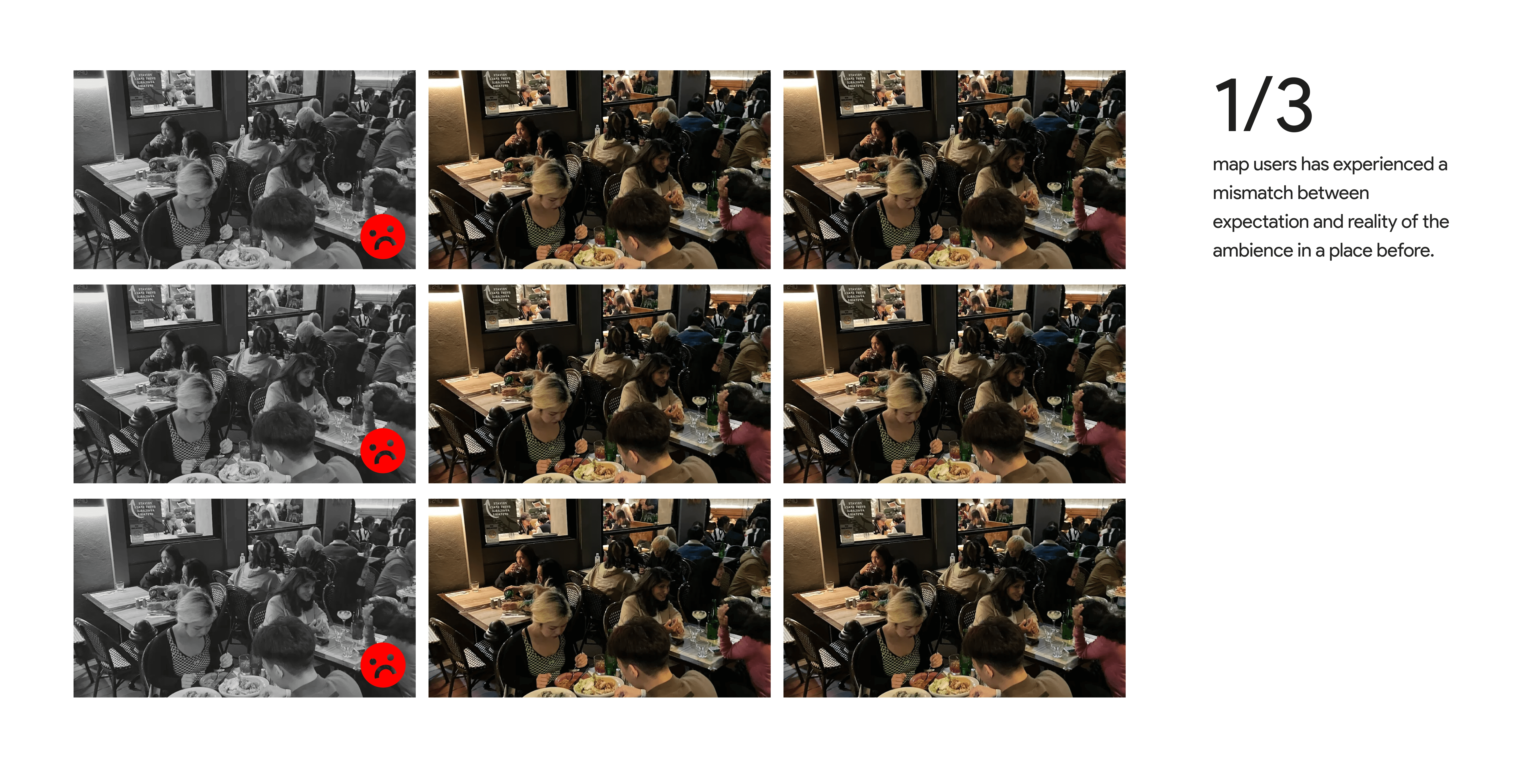
▲ Map users experience mismatches
" height="59.99999755566683px" id="gXFm8DZHv" transform="translate(7 11)" width="69px"/></svg>)
Strategy & Research
Invention vs. Integration.
Don't build a new app. Fix the one everyone uses.
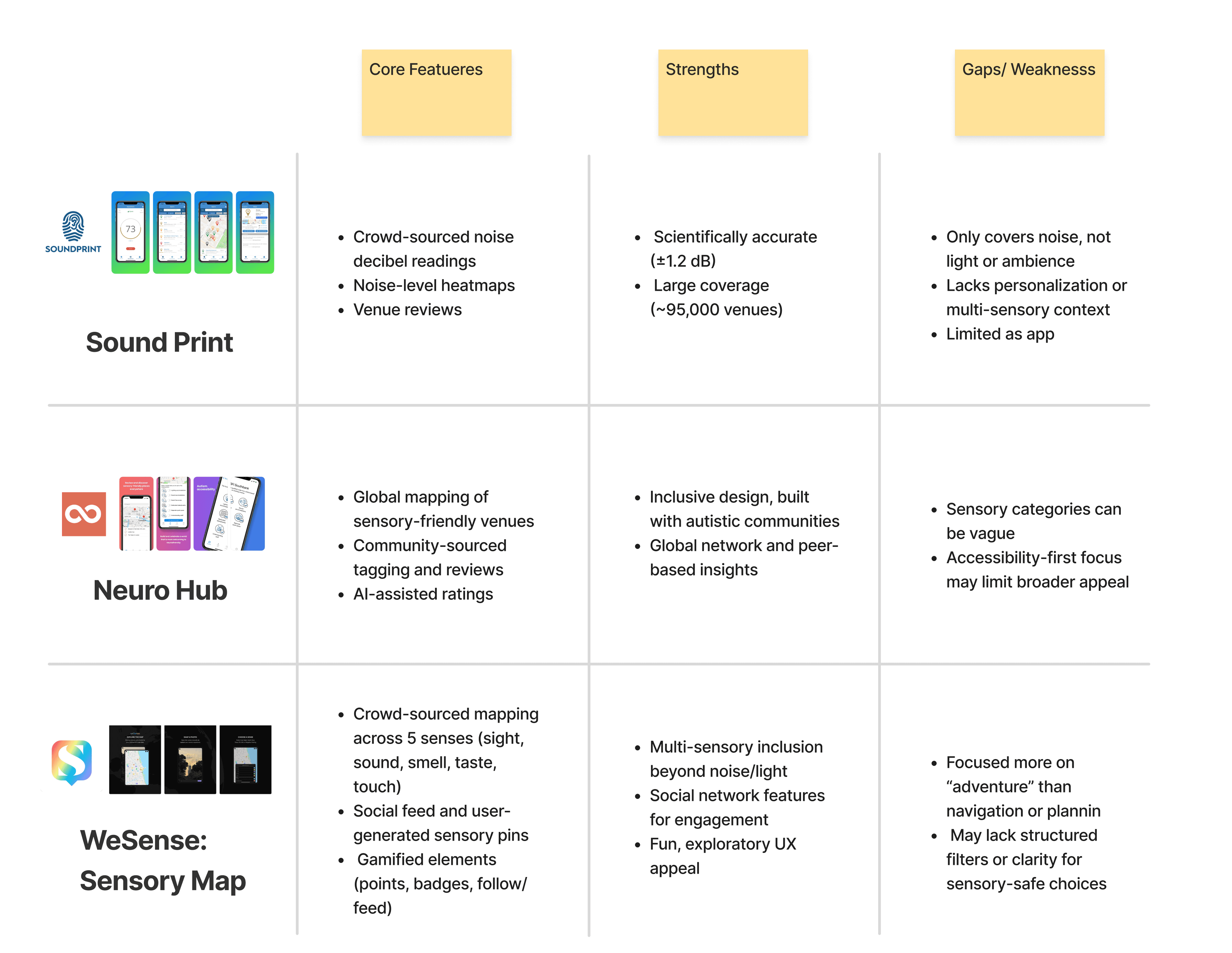
Midway through the project, I hit a wall. I was trying to build a standalone sensory app, but competitive analysis showed that niche apps like SoundPrint had low adoption because they required users to break their daily habits.
I applied Jakob’s Law (users prefer tools they already know) and shifted my strategy from Invention to Integration.
The Insight: People don't want another app; they want better tools where they already are.
The Goal: "Solve for one, extend to many." By designing for neurodivergent needs (predictability), we create a "calm mode" that benefits everyone.
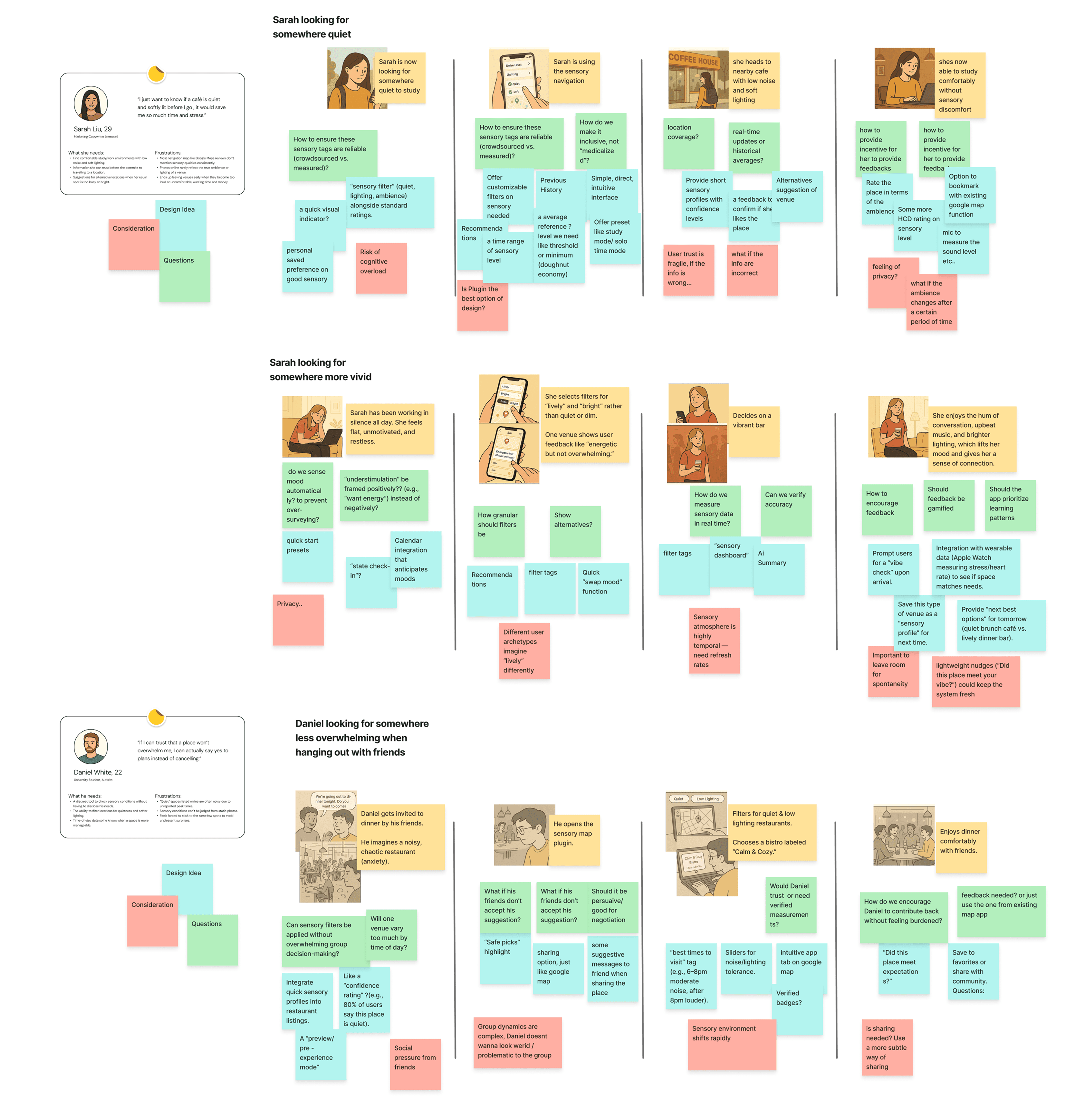
▲ Scenario Mapping & Competitive Analysis
" height="99px" id="y6i28XhWk" transform="translate(-8 -8)" width="99px"/><path d="M 35.373 5.791 C 35.358 5.776 32.424 8.68 26.582 14.515 L 22.482 10.414 L 31.216 1.675 C 26.6 -1.101 20.687 -0.369 16.887 3.448 C 13.908 6.427 12.742 10.768 13.826 14.839 L 13.911 15.163 L 0.225 28.853 C -0.075 29.153 -0.075 29.644 0.225 29.944 L 7.052 36.775 C 7.351 37.075 7.844 37.075 8.142 36.775 L 21.82 23.089 L 22.144 23.176 C 26.215 24.268 30.559 23.102 33.538 20.118 C 37.344 16.32 38.098 10.426 35.372 5.791 Z" fill="rgb(255, 255, 255)" height="37px" id="H4DuDpeci" transform="translate(23 23)" width="37px"/></svg>)
Literature Review
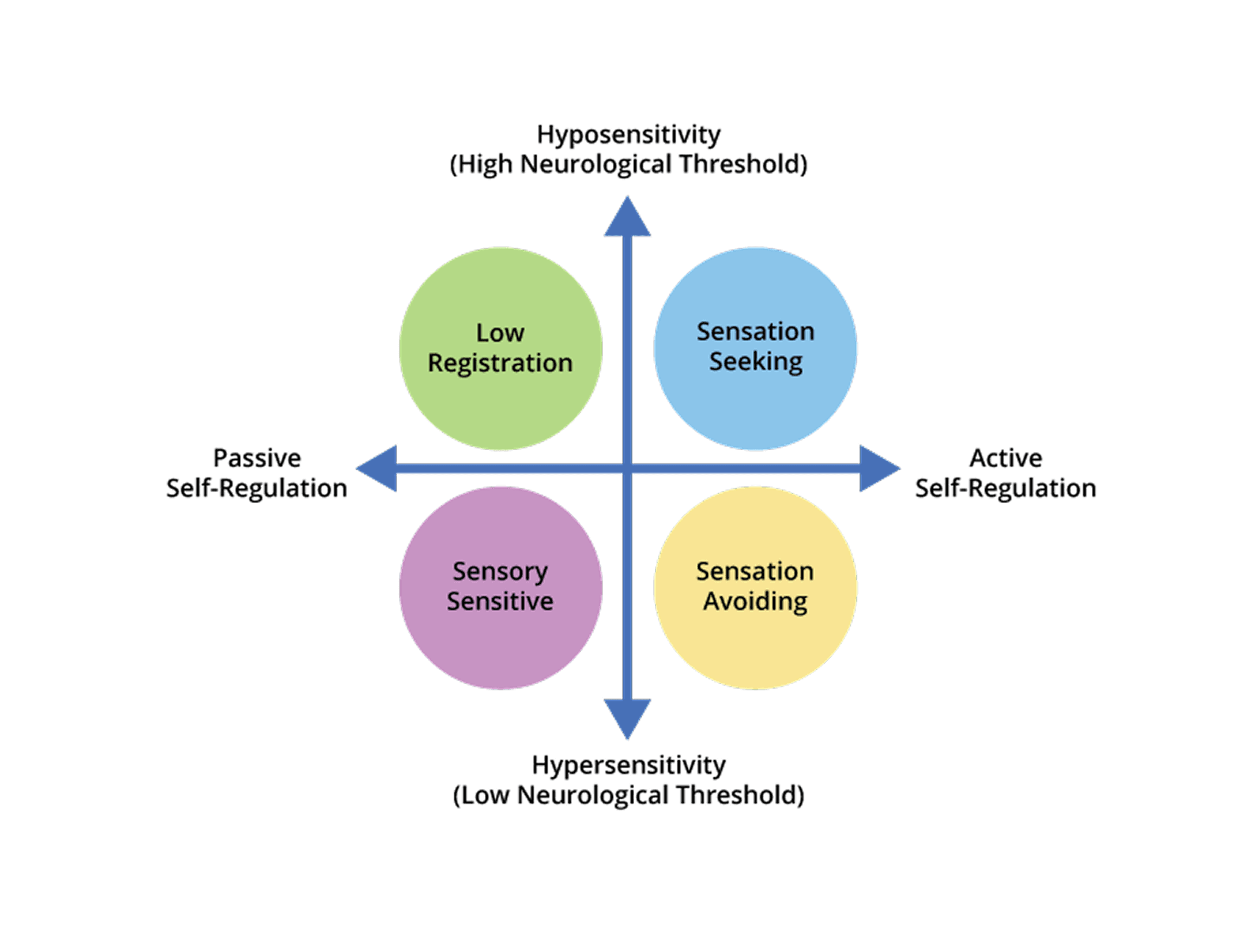
Applied Dunn’s Model of Sensory Processing to validate that 'comfort' is a spectrum, not a fixed state. This proved the system needed to accommodate both sensation seekers and avoiders, rather than enforcing a one-size-fits-all solution.
Scenario Mapping
By visualizing high-stress commutes, Scenario Mapping exposed the specific triggers neurodivergent users face. These insights shifted the UX strategy from simply prescribing 'quiet' routes to empowering users with granular controls to define their own well-being.
Competitive Analysis
Audit of competitors like SoundPrint revealed that while valuable, siloed apps create high adoption friction. This validated the strategy to integrate directly into Google Maps, surfacing sensory data within the navigation tools users already rely on.
Design Principles
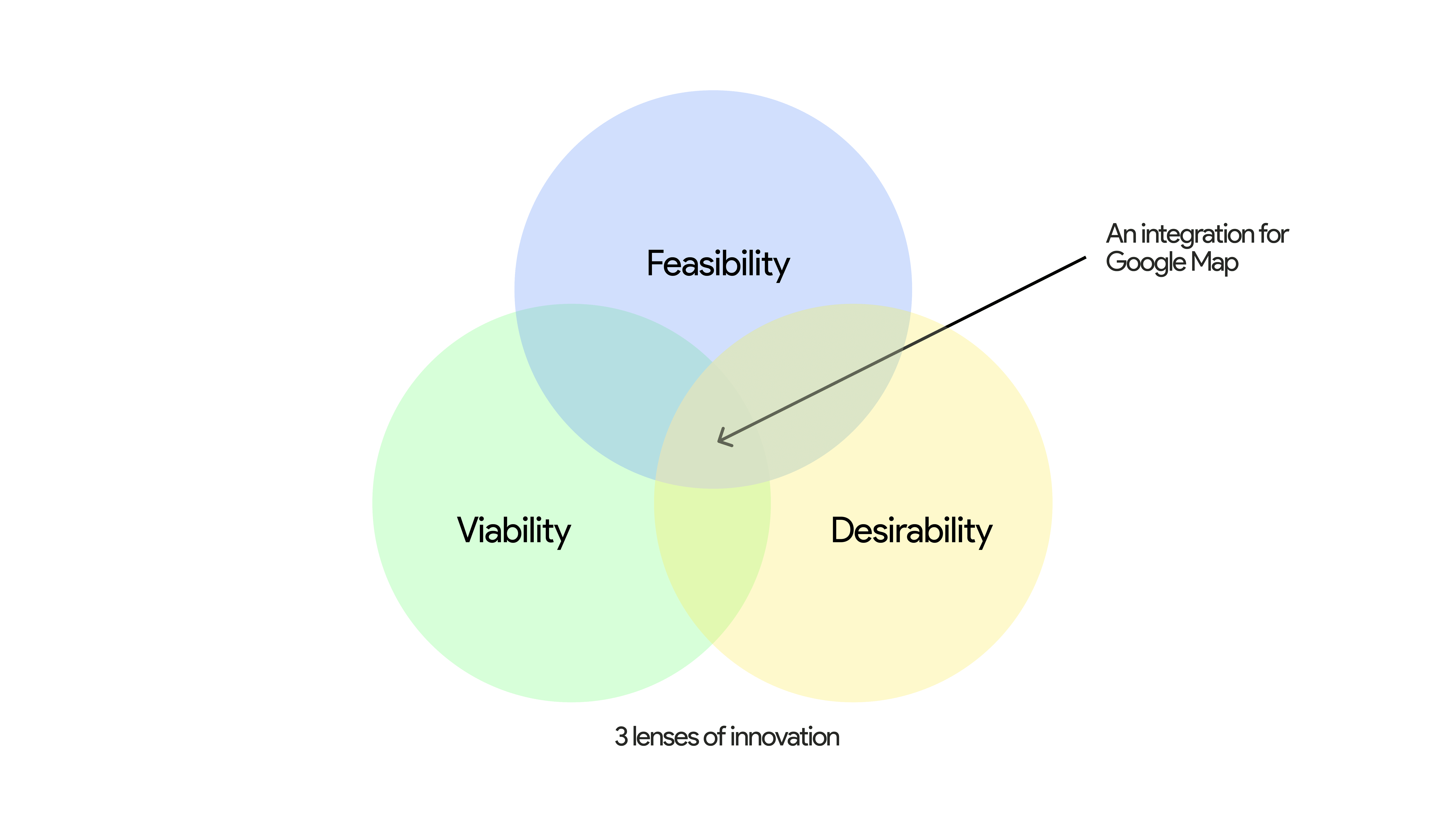
My desktop research into digital habits and sensory processing revealed that users don't want "new" behaviors; they want their existing tools to work harder. I synthesized these findings into three guiding principles:
▲ 3 lenses of innovation
01
Predictability Over Novelty
Sensory context is a determinant factor in decision-making, not just "extra info". Therefore, the interface must surface this invisible data upfront to ensure users know exactly what they are walking into, reducing the anxiety of the unknown.
02
Control Over Input
Leveraging Dunn’s Model, I recognized that neurological thresholds vary, so a "quiet" route for one person might be "under-stimulating" for another. The system avoids a "one-size-fits-all" approach by allowing users to explicitly opt-in to sensory filters based on their specific needs.
03
Comfort in Clarity
Jakob’s Law dictates that users prefer interfaces that function like the tools they already use. To minimize cognitive load, I strictly adhered to Google’s Material Design, ensuring "comfort" comes from UI familiarity as much as the route itself.
Research Question
How can sensory comfort be integrated into Maps to create more inclusive, human navigation?
01
Predictability Over Novelty
Sensory context is a determinant factor in decision-making, not just "extra info". Therefore, the interface must surface this invisible data upfront to ensure users know exactly what they are walking into, reducing the anxiety of the unknown.
02
Control Over Input
Leveraging Dunn’s Model, I recognized that neurological thresholds vary, so a "quiet" route for one person might be "under-stimulating" for another. The system avoids a "one-size-fits-all" approach by allowing users to explicitly opt-in to sensory filters based on their specific needs.
03
Comfort in Clarity
Jakob’s Law dictates that users prefer interfaces that function like the tools they already use. To minimize cognitive load, I strictly adhered to Google’s Material Design, ensuring "comfort" comes from UI familiarity as much as the route itself.
01
Pre-Trip
A toggle allowing users to trade speed for sanity. Additionally, venue cards now feature "Sensory Badges" (Quiet, Buzzing, Loud), letting users assess the atmosphere before departure.
02
En-Route
Mirroring Waze traffic alerts, I designed notifications for sensory spikes like "Noise reported ahead". The system proactively suggests quieter detours, keeping the journey predictable even when the city isn't.
03
After Trip
To power the data, I designed a frictionless bottom sheet that appears upon arrival asking, "How was the sound level?". This crowdsources the "invisible" data needed to refine the map for future users.
▲ Proposed Google Map Update teaser
Outcome & Learning
Small Features,
Systematic Impact.
01
Innovation via Constraint
Navigating the strict boundaries of Material Design proved that constraints are catalysts for creativity. I learned that integrating into existing ecosystems is often harder than building from scratch but yields far greater scale.
02
Depth over Breadth
As one of my "smallest" projects by screen count, this held the biggest lessons. It reinforced that design isn’t about adding more features or pixels, it’s simply about adding meaning.
03
Designing for Dignity
I learned the vital distinction between utility and empathy. While usability ensures a user can complete a task, dignity ensures they feel safe doing it, shifting the focus from efficiency to well-being.

" height="49px" id="LIGo47a1Z" transform="translate(17 17)" width="49px"/></svg>)