" height="38px" id="s7PhIa9un" transform="translate(30.212 21.908)" width="21px"/></svg>)
A UX Widget Redesign
for Smarter City Decisions
" height="59.99999755566683px" id="MM6SLOagw" transform="translate(7 11) rotate(90 34.5 30)" width="69px"/></svg>)
Client
RMIT & Regen Melbourne
Role
UIUX intern
Timeline
2 months
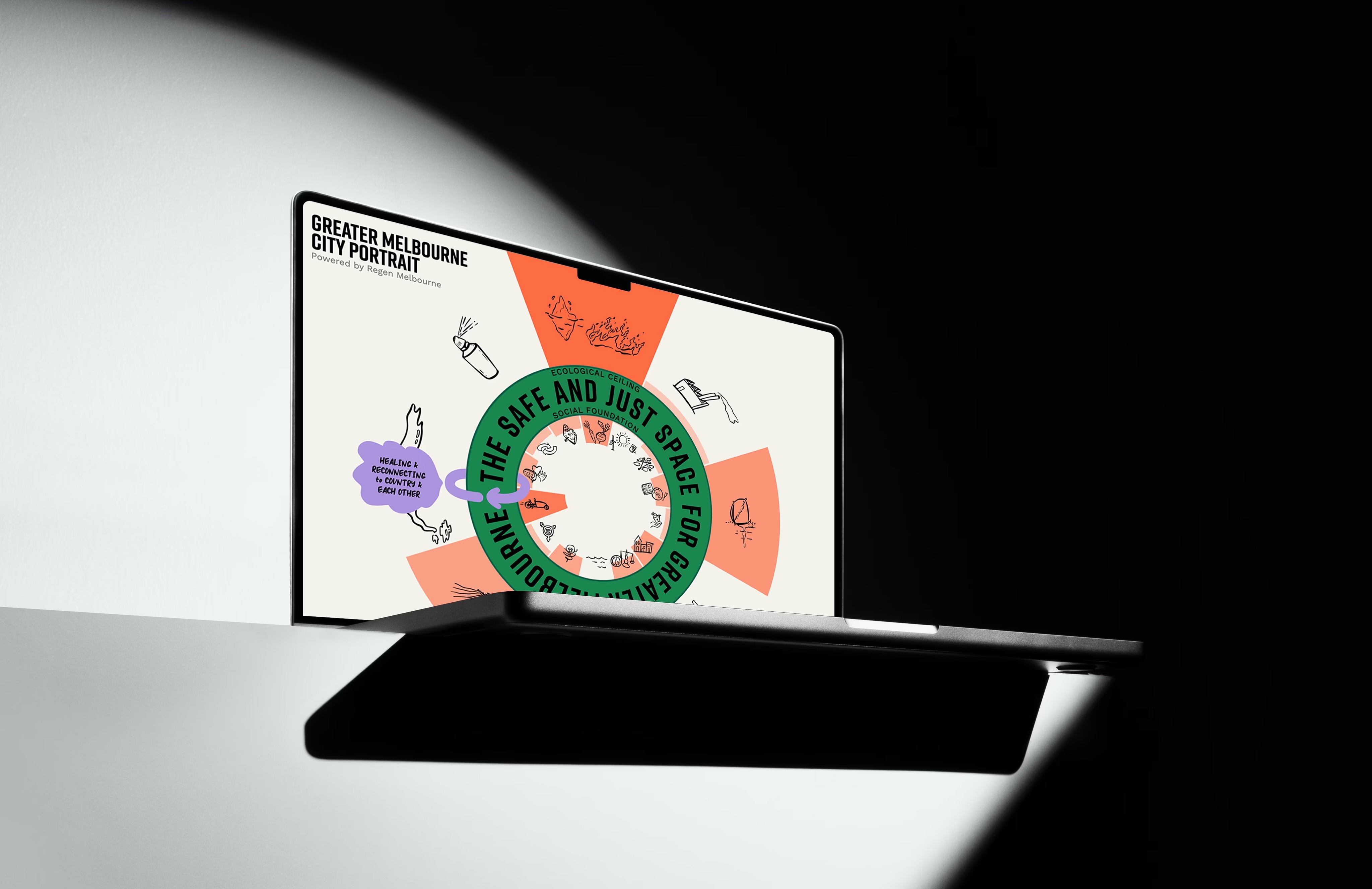
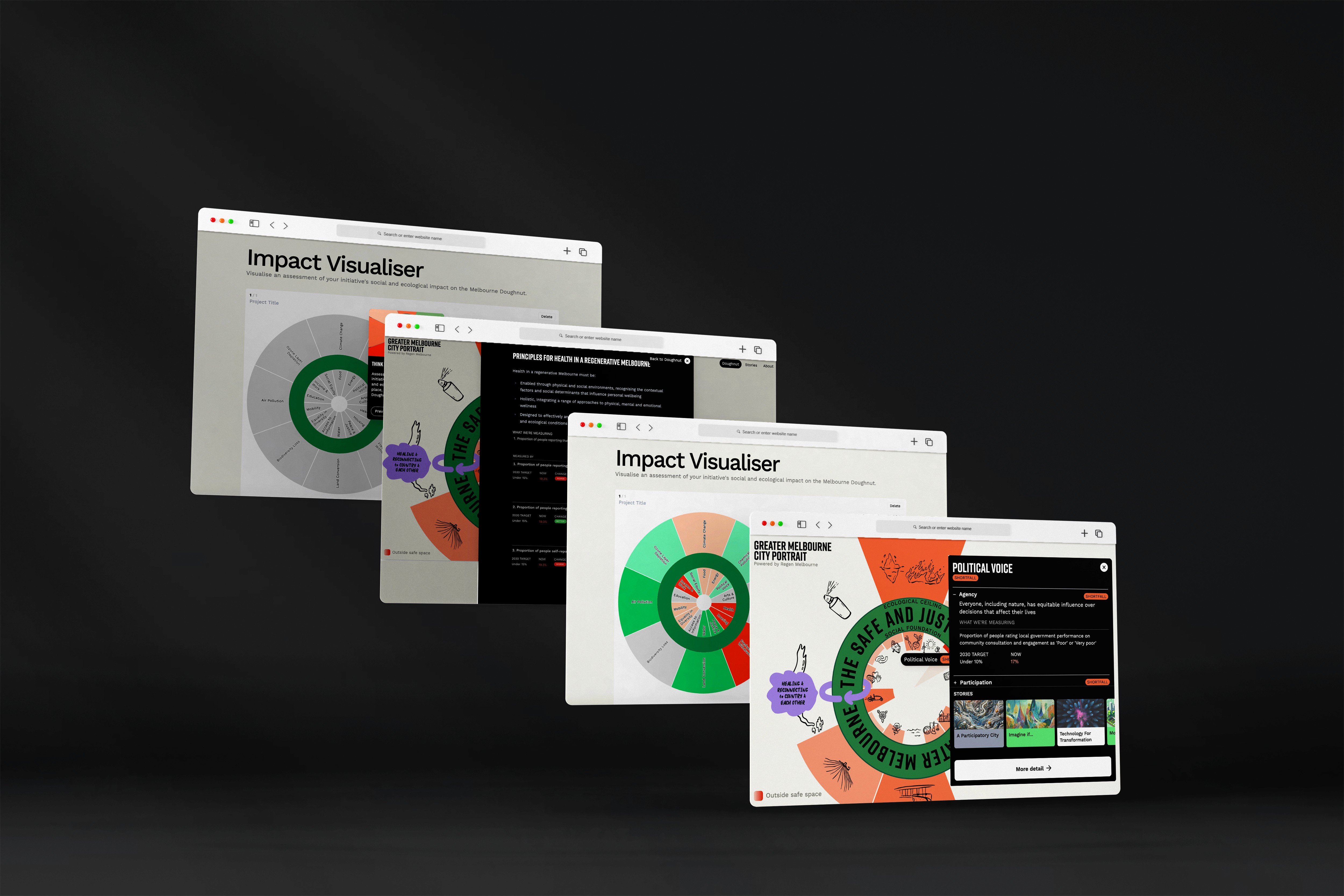
The Doughnut Economics framework helps policymakers and entrepreneurs visualize the social and ecological footprints of their developments. We translated this complex academic theory into an interactive web widget, making these assessments instantly readable for decision-makers. Beyond the interface, I designed a visual system to solve critical accessibility challenges, ensuring the strict data standards remained legible while transforming a theoretical model into a practical strategic tool.
Context
Most economic models stay in textbooks. This one needed to work in the boardroom
Doughnut Economics is a framework consisting of two concentric rings: a social foundation of human needs (like health and education) and an ecological ceiling of planetary boundaries (like climate change). The goal is to help humanity thrive in the "safe and just space" between them.
My task was to translate this complex socio-political theory into a digital tool. The goal was to move beyond academic diagrams and create a functional widget that entrepreneurs could use to instantly assess if their projects were falling into the "safe space" or overshooting planetary limits.
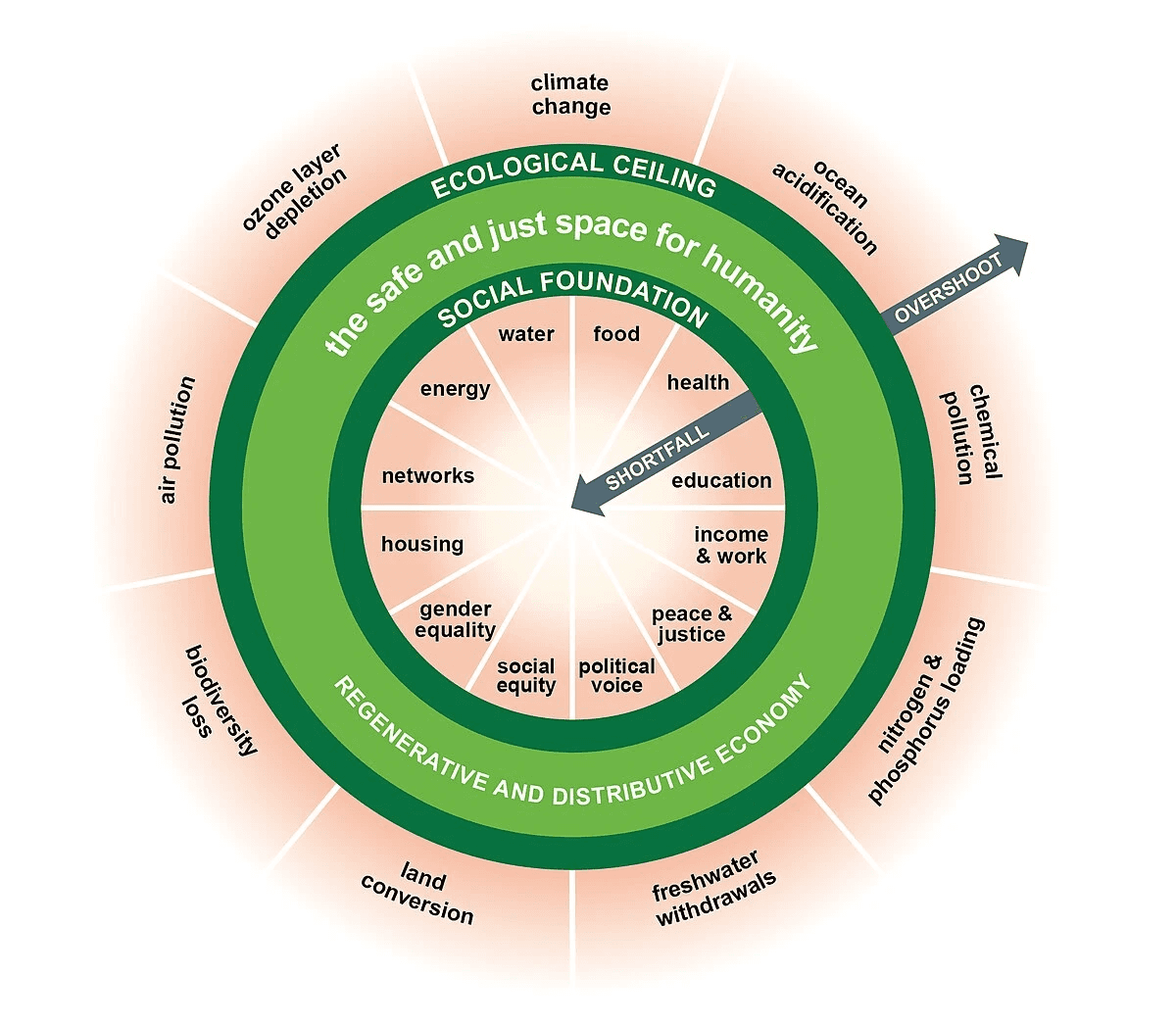
▲ Doughnut Economics Model
" height="59.99999755566683px" id="gXFm8DZHv" transform="translate(7 11)" width="69px"/></svg>)
Problem
Data Without Hierarchy. The original chart was "technically" accurate but practically unreadable.
The previous visualization suffered from "Data Dump" syndrome. It was static, cluttered, and lacked visual hierarchy. Users struggled to distinguish between the "danger zone" (overshoot) and the "safe space," meaning decision-makers couldn't quickly interpret the metrics they needed to adjust their development strategies. The message was getting lost in the noise.
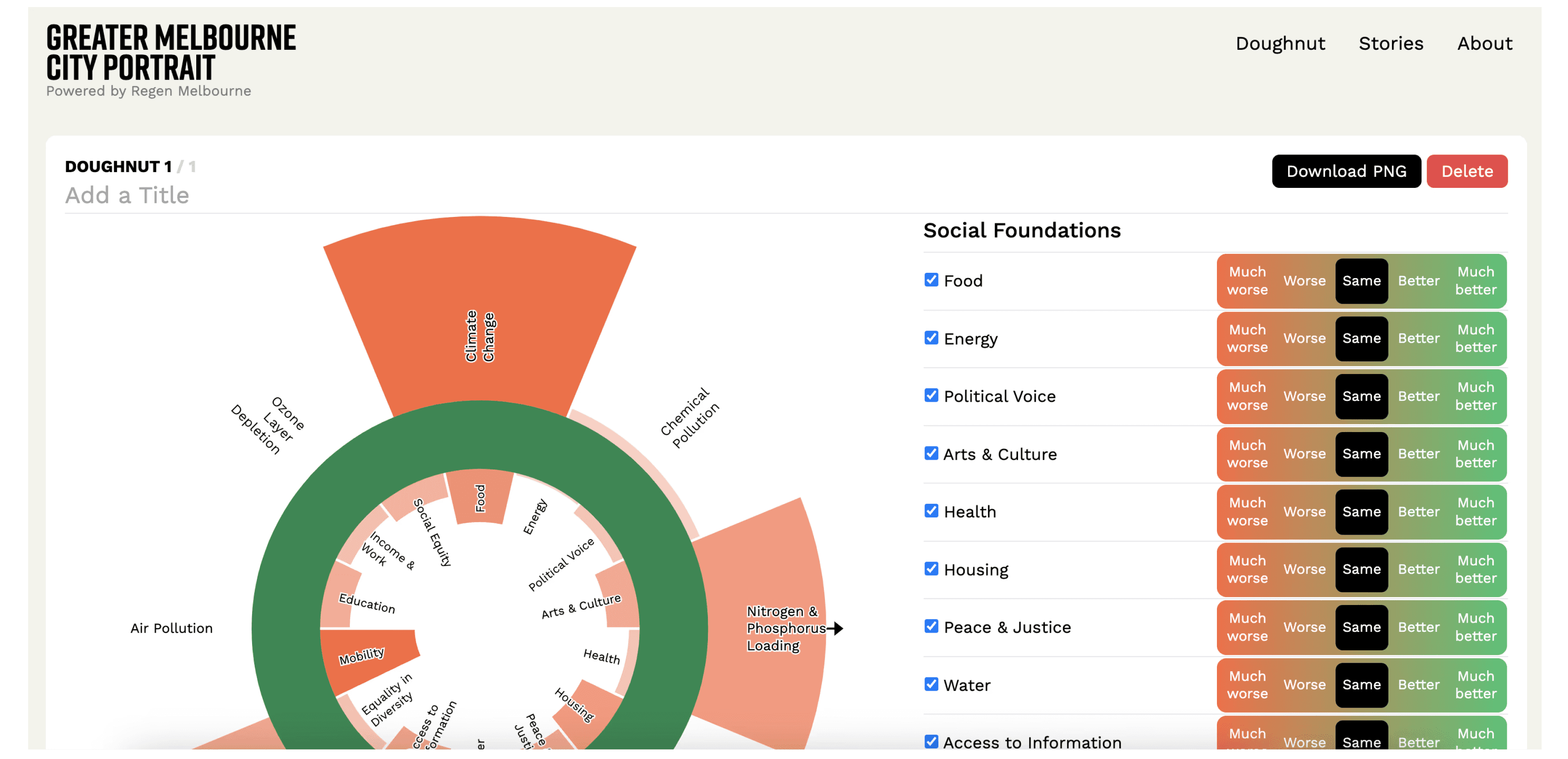
▲ The original chart
Early Exploration
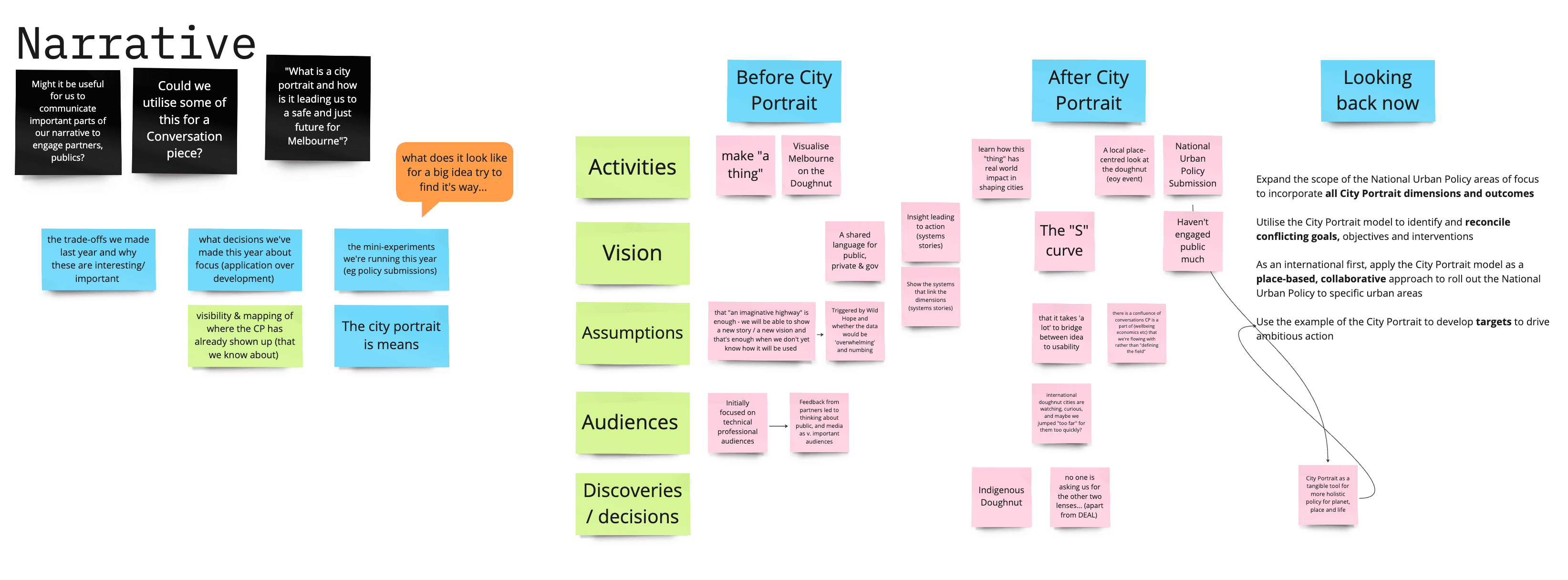
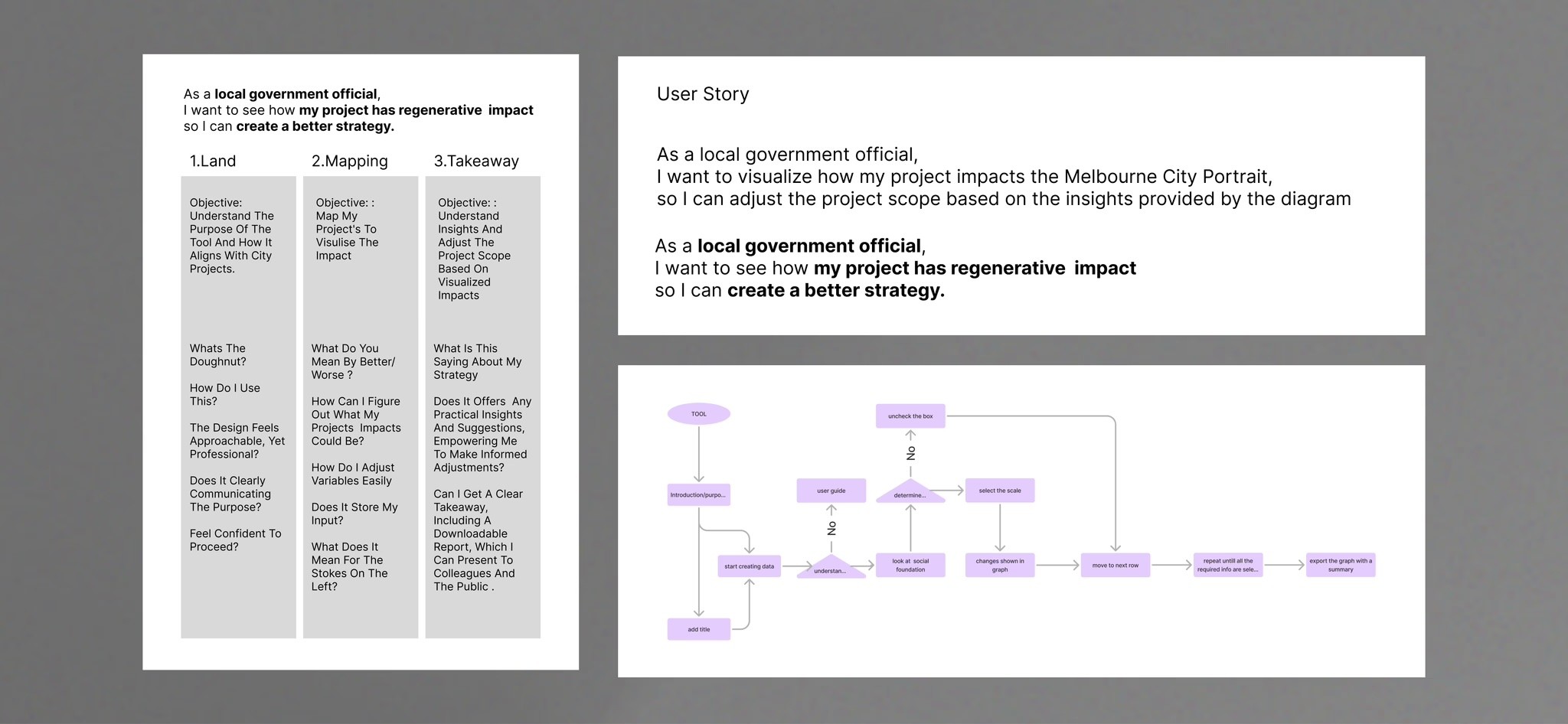
▲ Early User Researches
My initial research into existing sustainability tools revealed a critical gap: they were built for economists, not entrepreneurs. They prioritized data density over clarity, leaving non-experts overwhelmed.
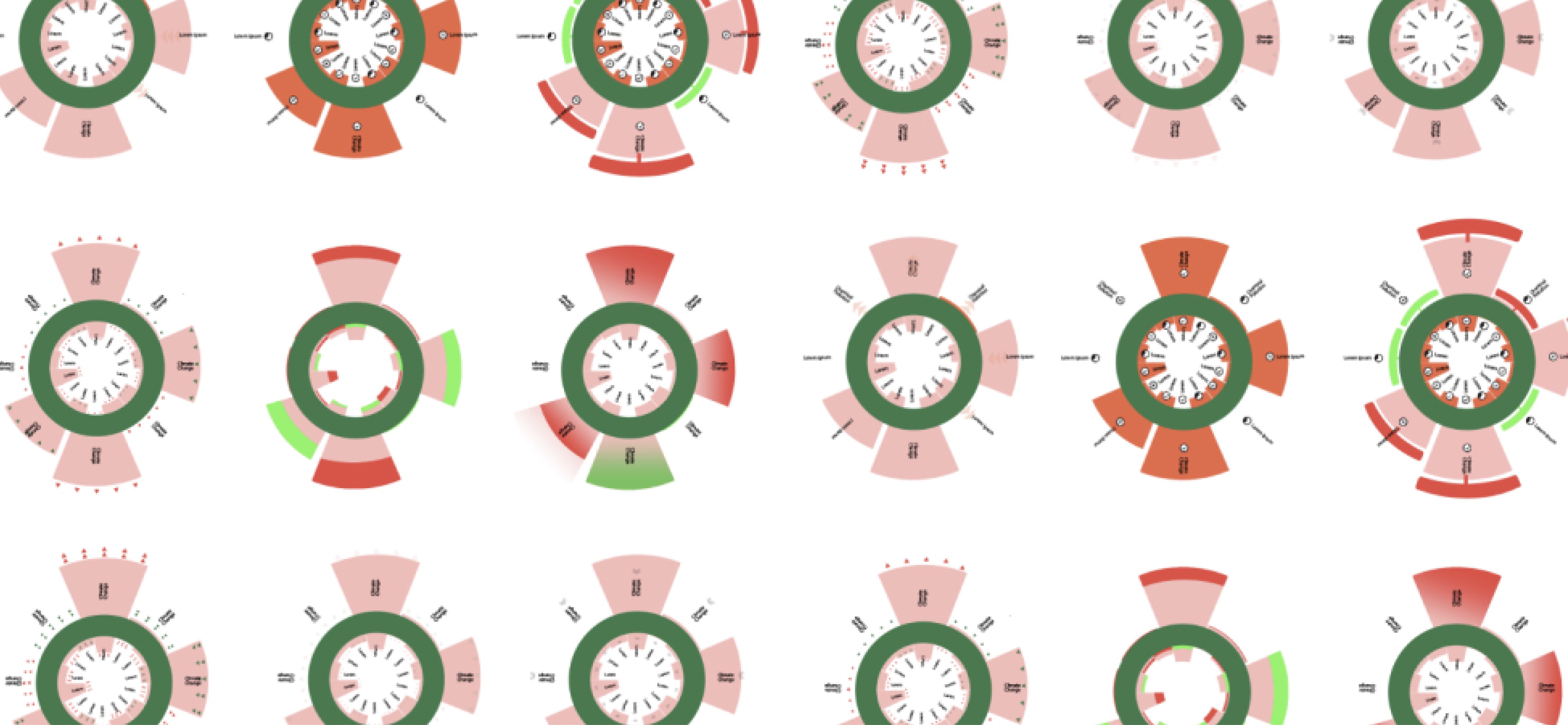
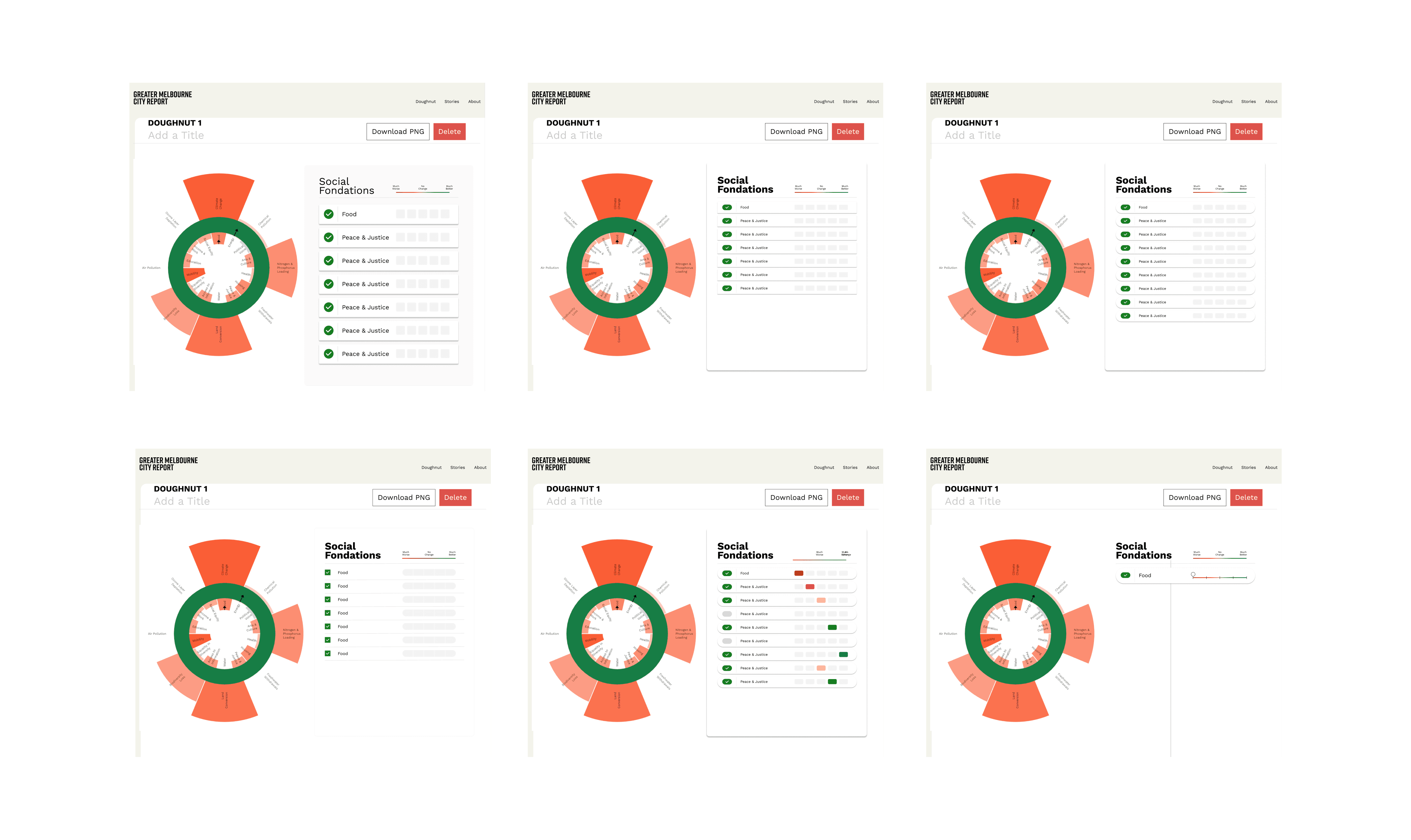
Armed with this insight, I moved to paper sketches. The spatial challenge was real: how do you fit 20+ data points into two rings without it looking like a cluttered dartboard?
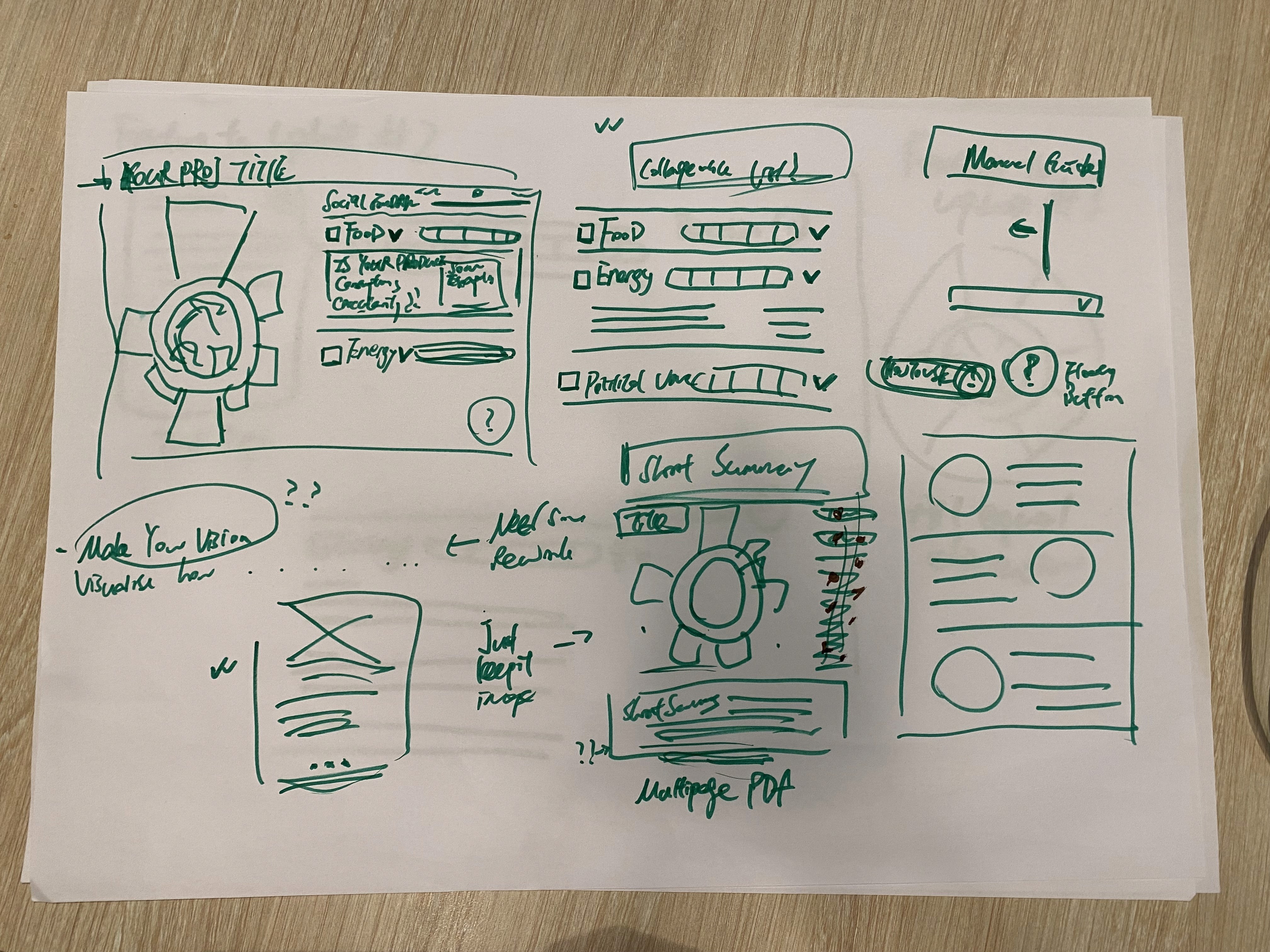
▲ Sketches and Experiments
01
The Text Issue
02
The Iteration
I experimented with moving the labels outside the rings and using hover states to reveal details, treating the chart as a navigation tool rather than a static image.
Usability Testing
We presented the mid-fidelity prototypes to a group of stakeholders, and the feedback was immediate and critical.
" height="82px" id="D3F9kcYvK" width="82px"/></svg>)
The Accessibility Gap
The framework relies on Red (Bad) and Green (Good). Stakeholders pointed out that for colorblind users, the chart looked like a grey blob.
The Confusion
Users weren't sure which segments were interactive.
This feedback was the turning point. It reminded me to stop relying on color as the only indicator of "danger."
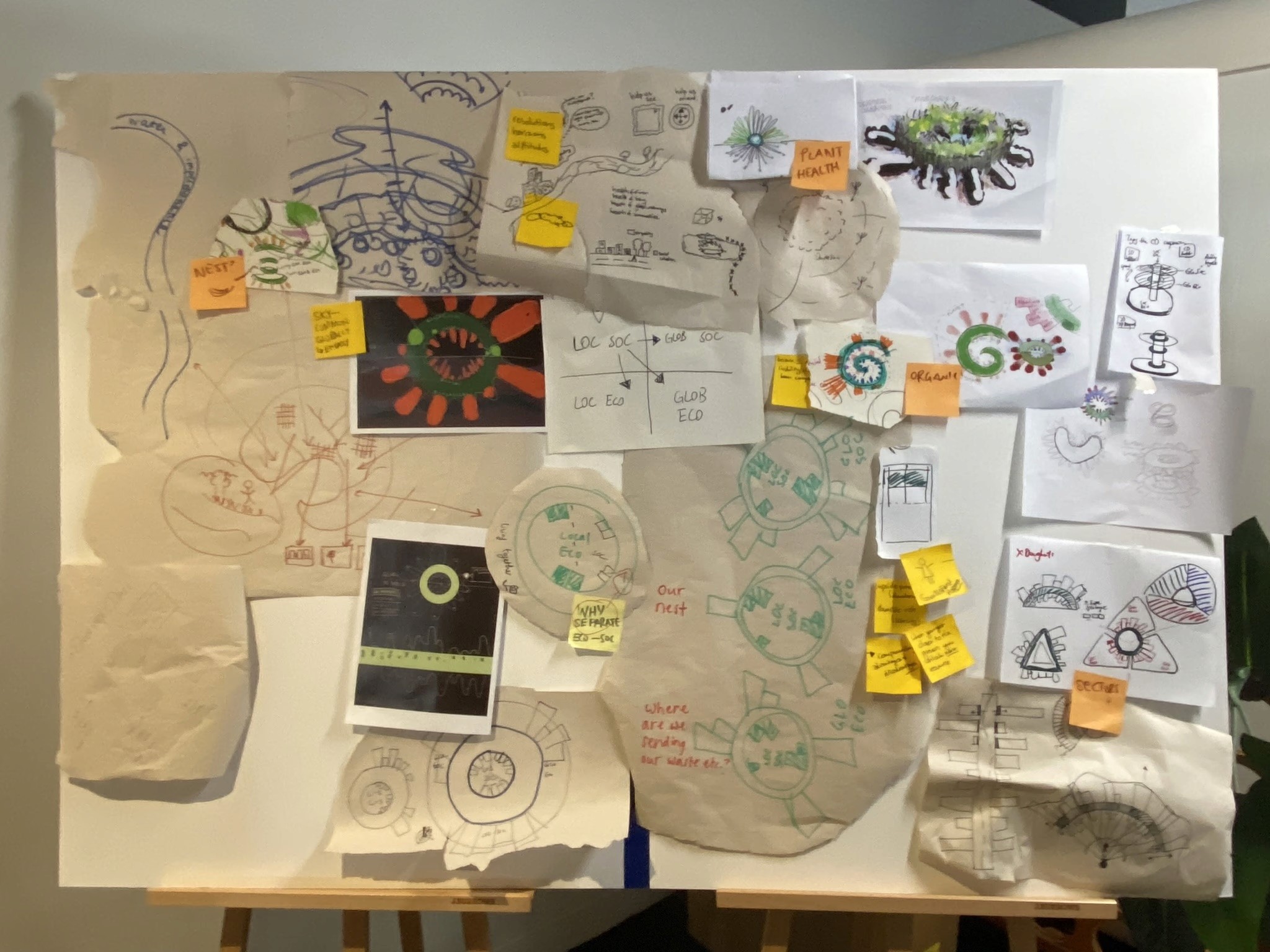
▲ Usability testing setup
Solution
I didn't just clean up the UI, I built a frictionless engine for decision-making.
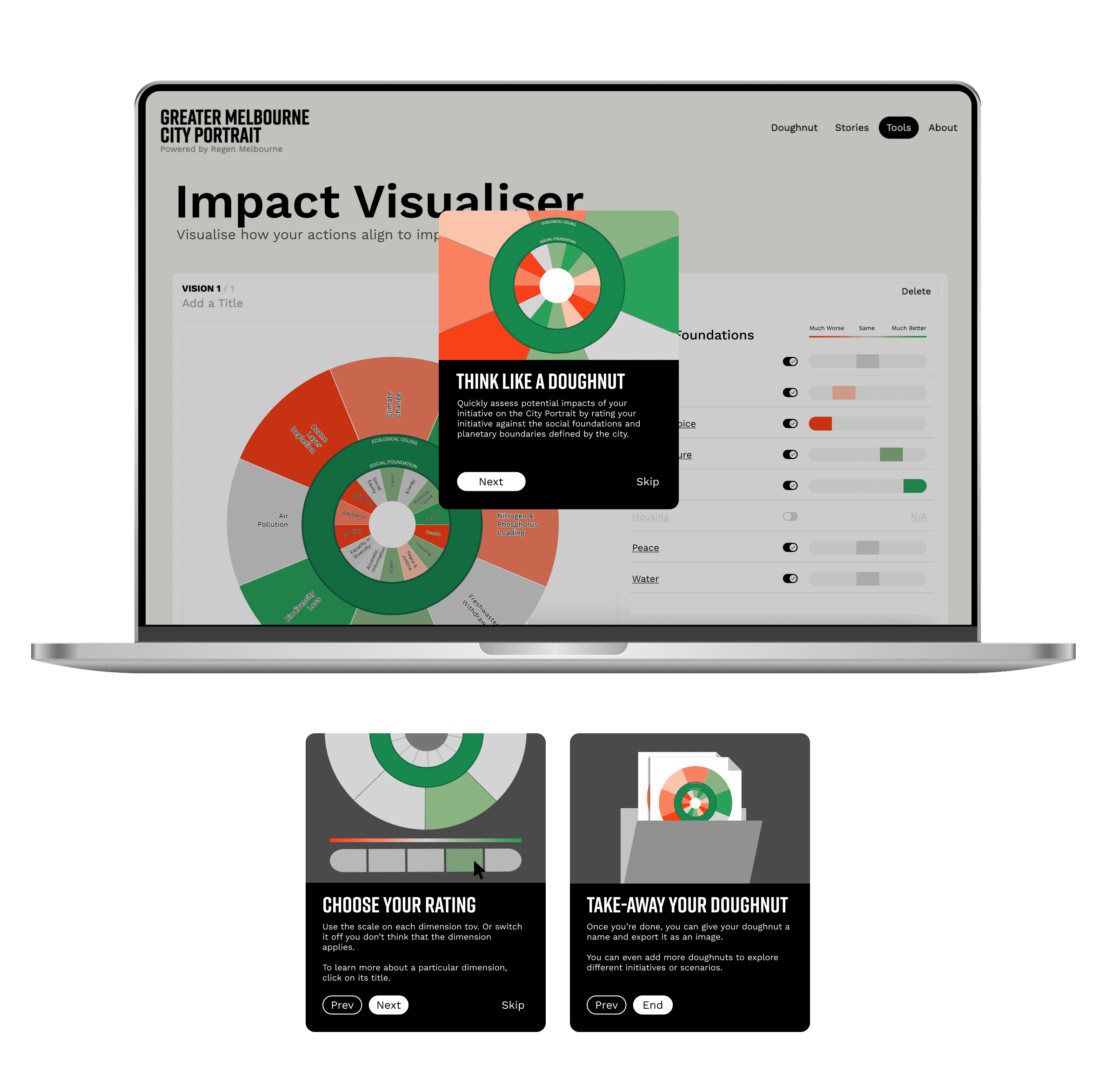
I collaborated with engineers to replace the "data dump" with a logic-driven interface that empowers users to grasp insights instantly and share them seamlessly.
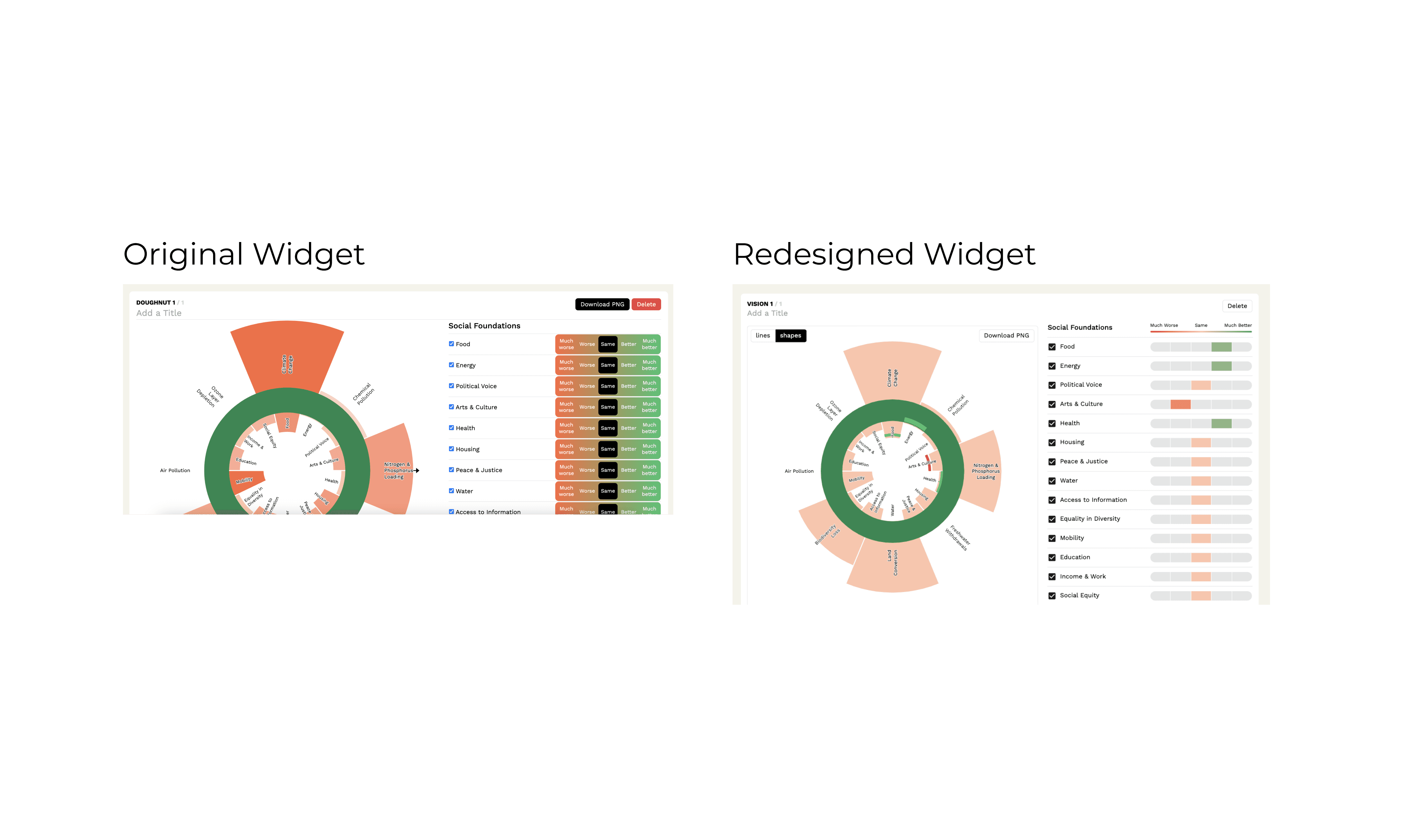
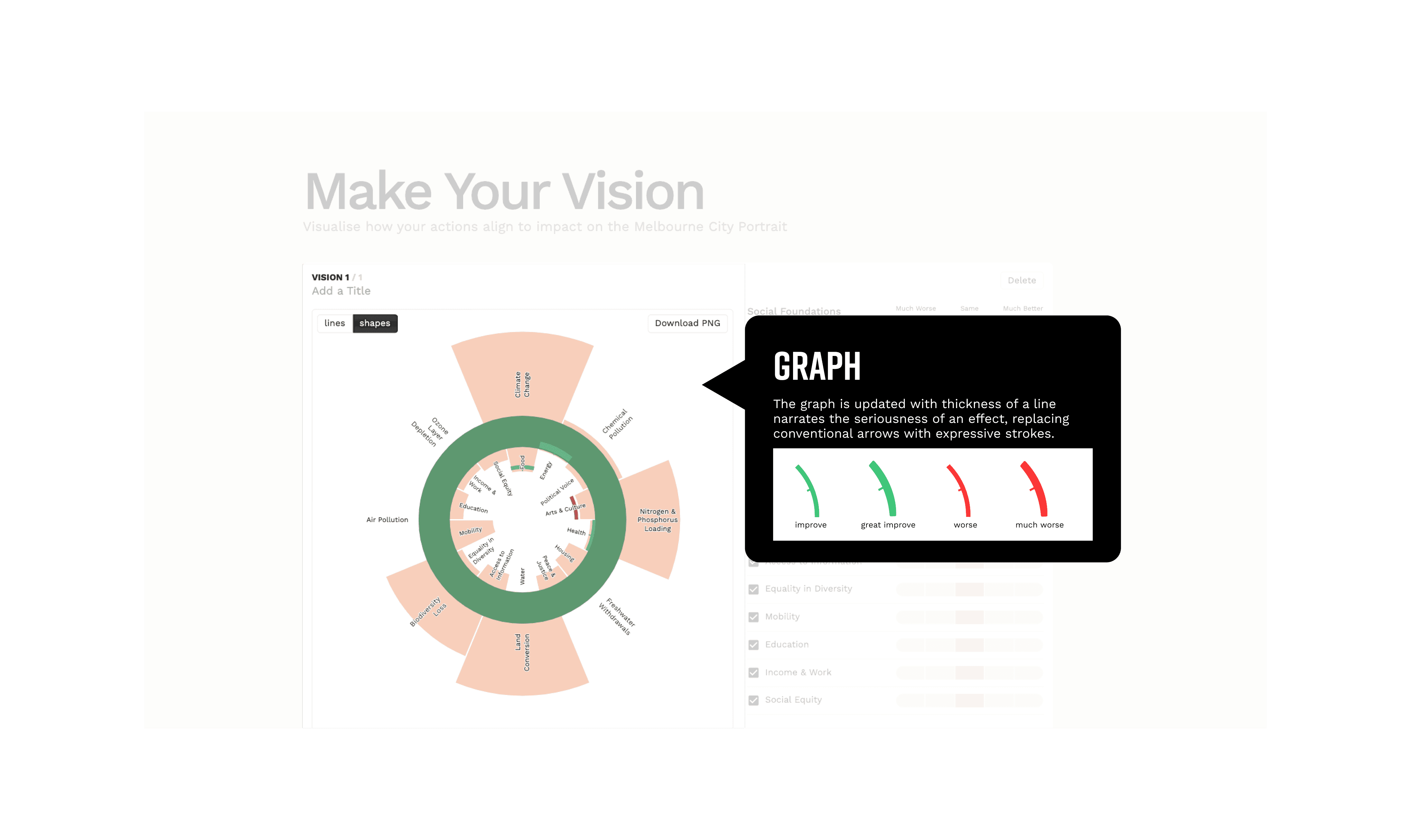
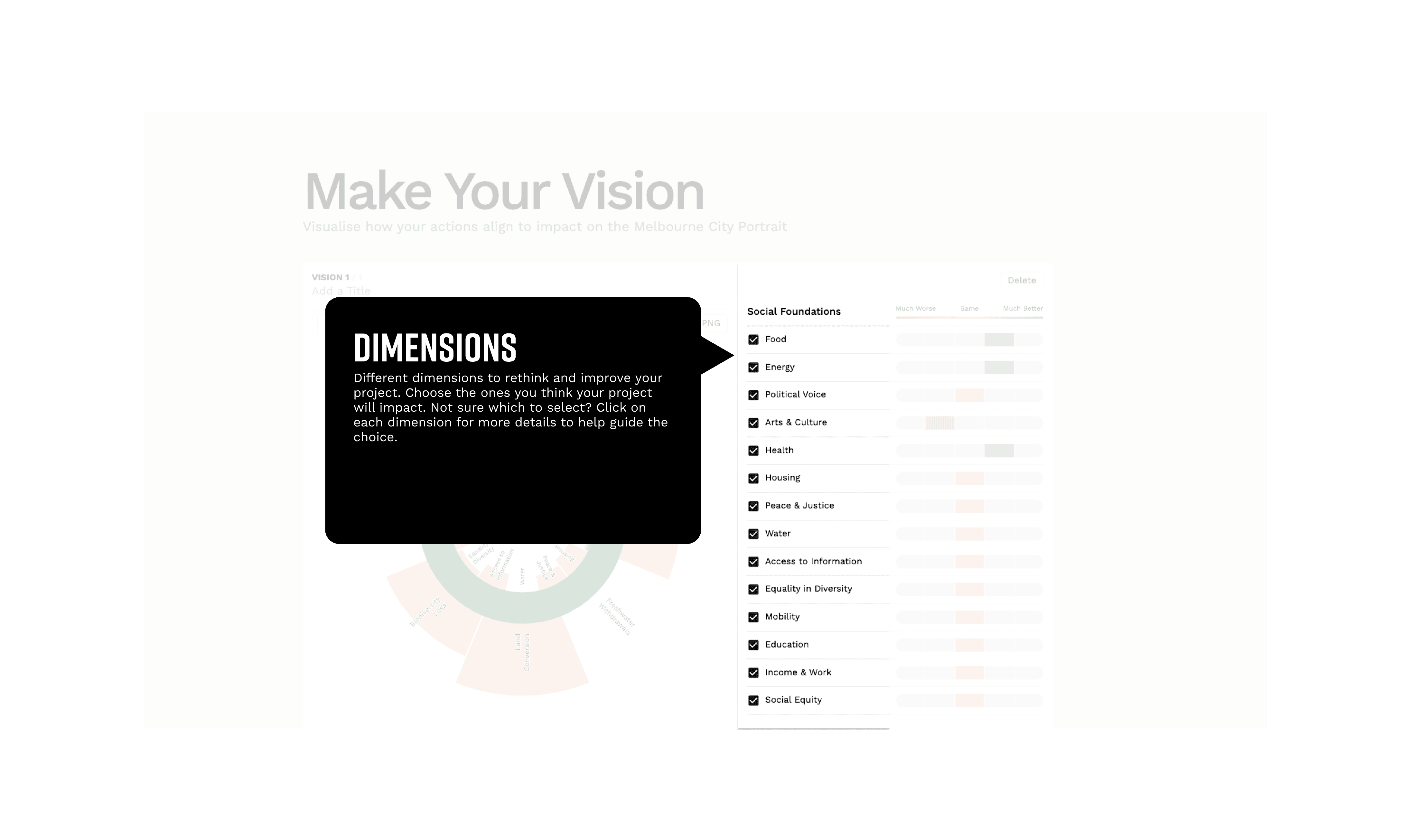
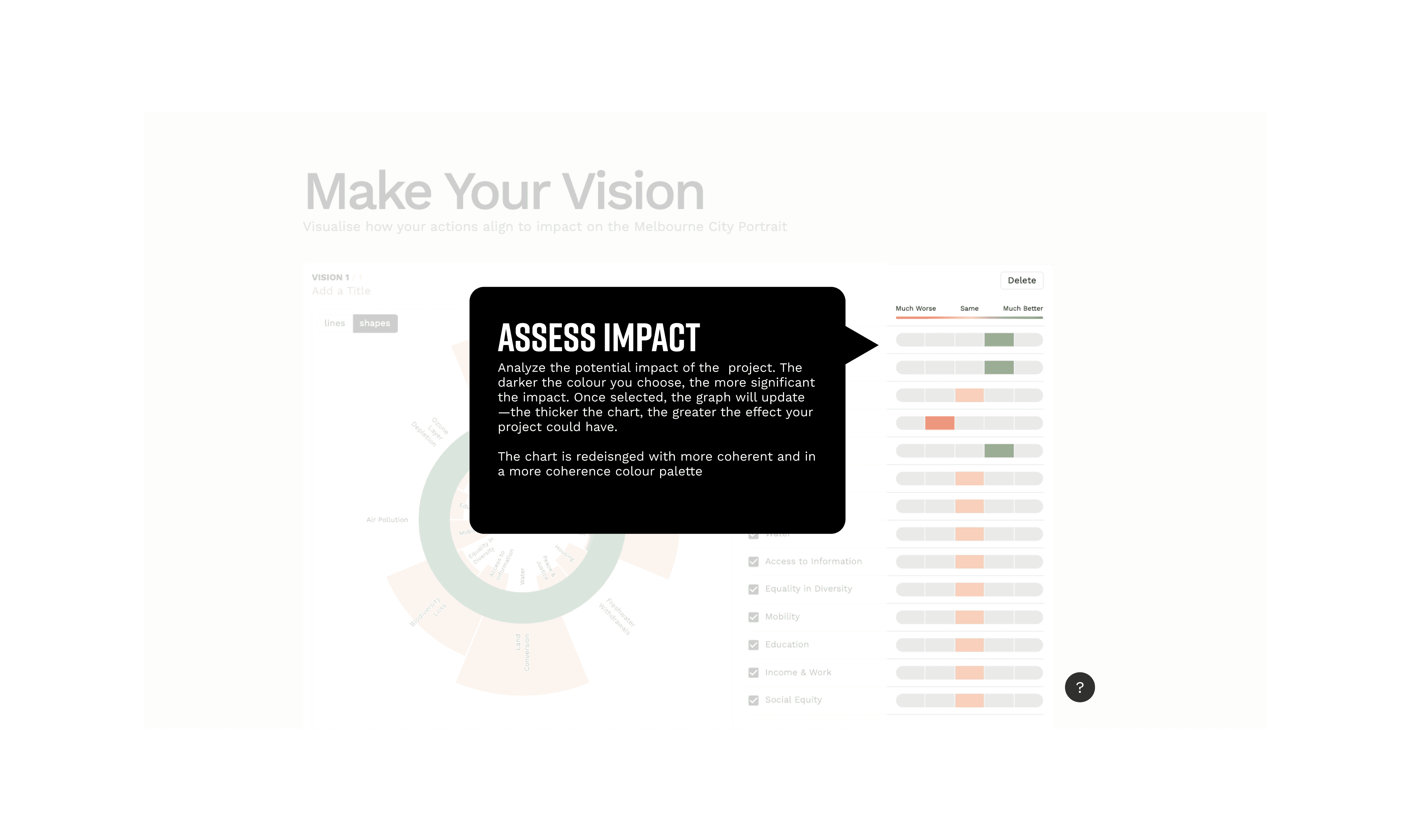
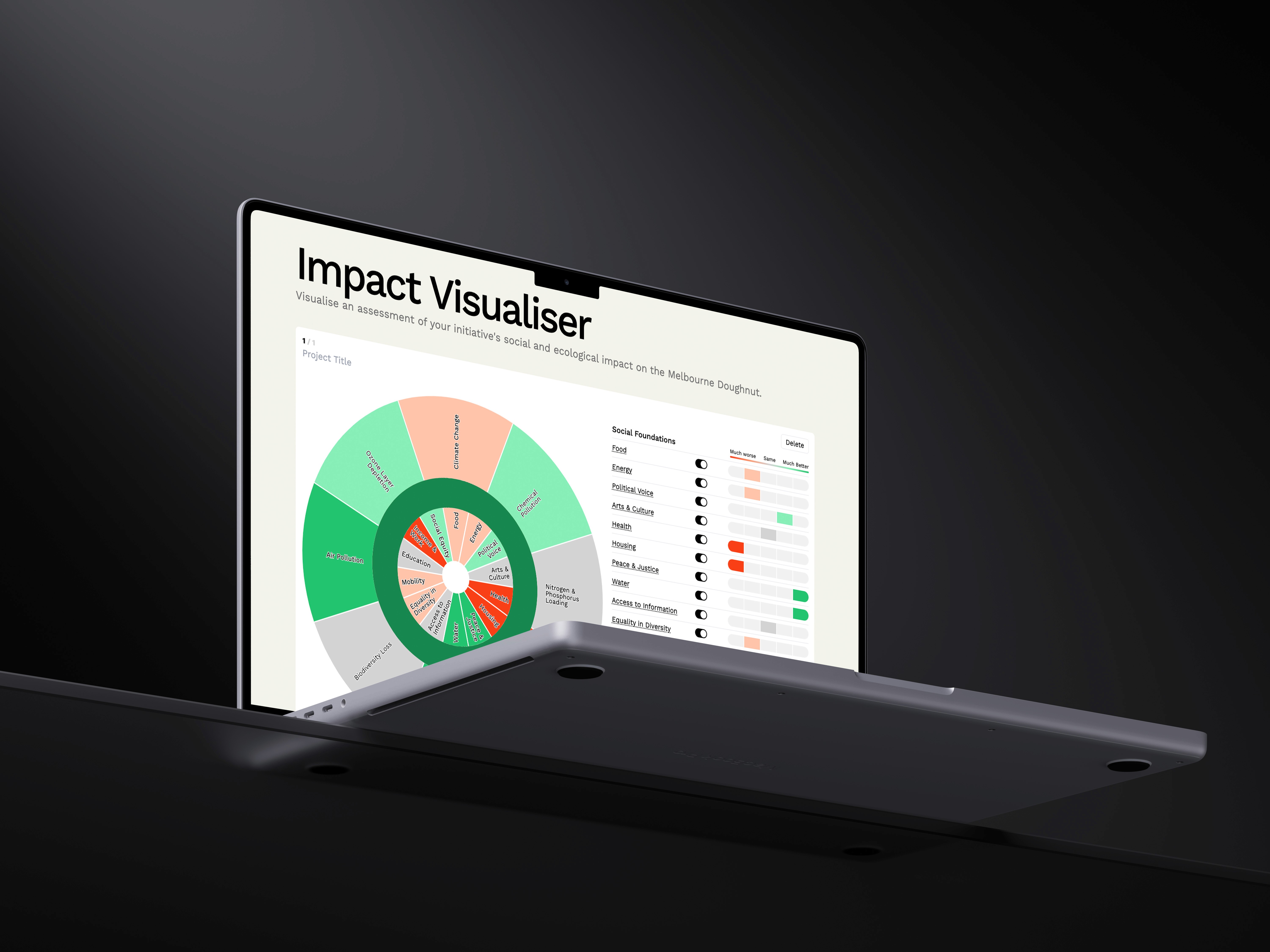
▲ Updated User Interface
01
Refined Doughnut Logic
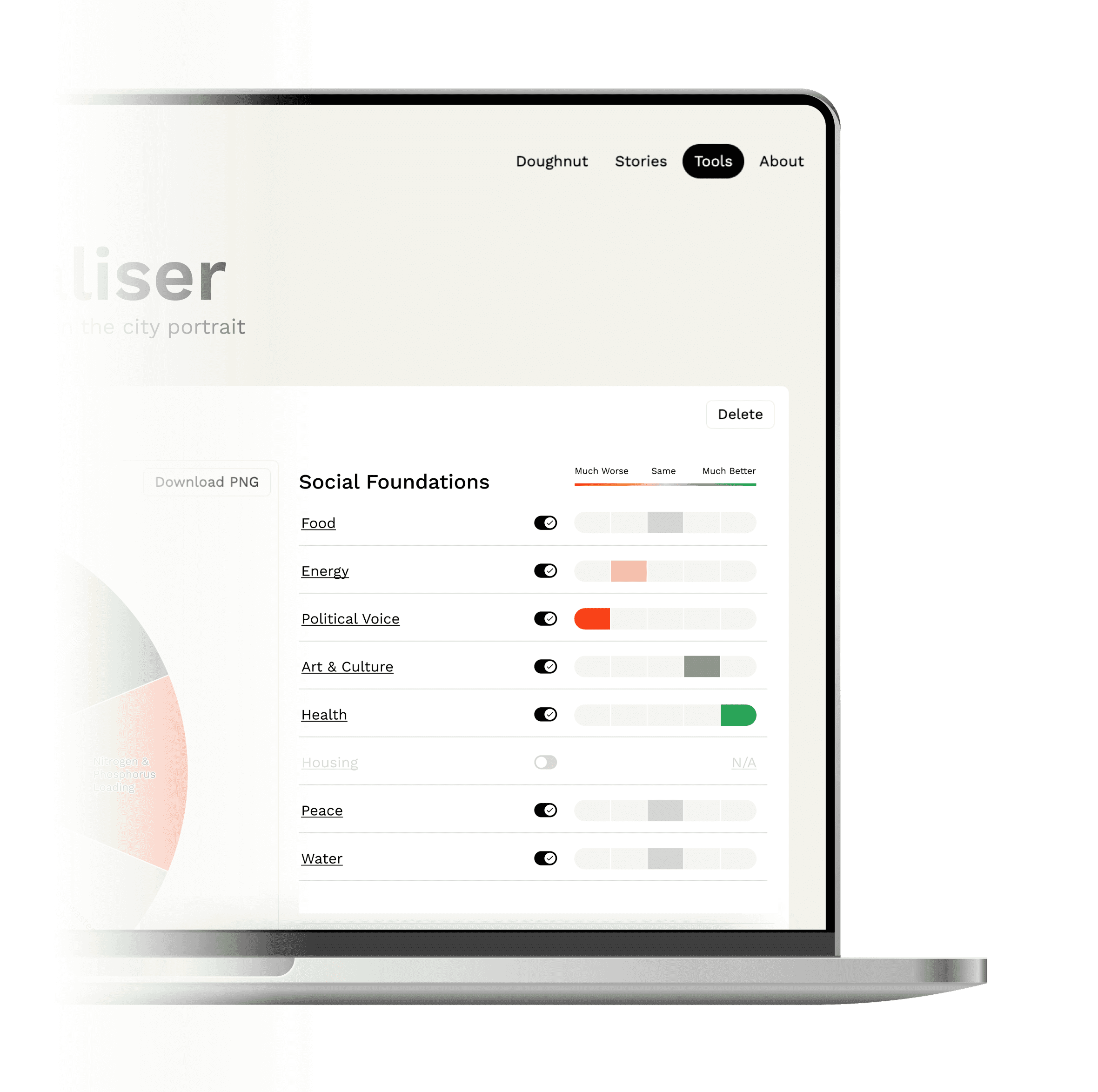
A two-ring visual system—outer for high-level categories, inner for specific indicators. By using bar length and color intensity, users can now instantly decode both the direction (improvement vs. decline) and the magnitude of the impact without reading a single number
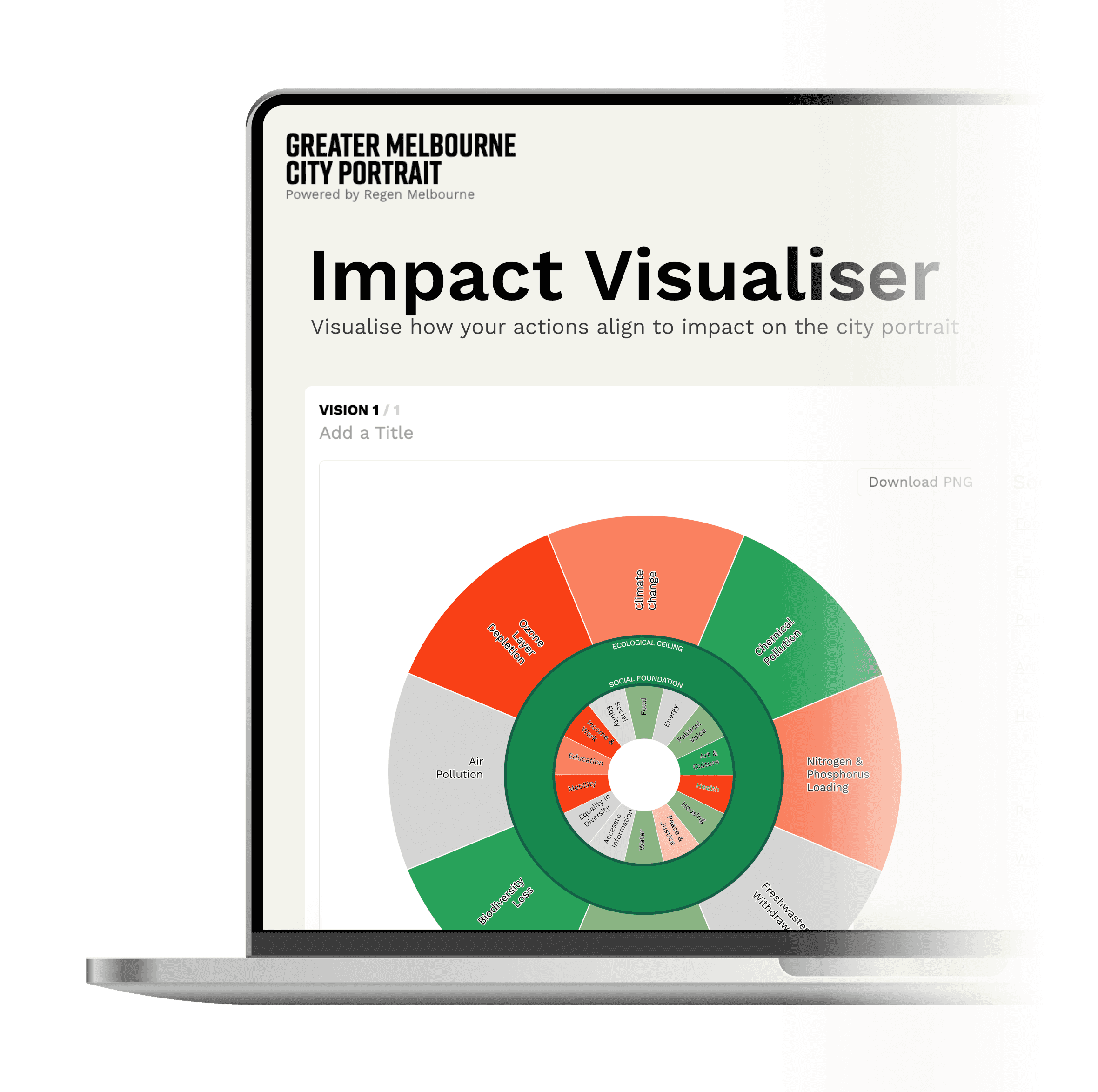
03
Closing the Loop (Actionable Results)
A one-click PNG export feature is designed. Now, users can title their scenarios and download the chart instantly to drop into reportsbridging the gap between digital analysis and real-world presentation.
01
40% Faster Time-to-Insight
By replacing the cluttered layout with a logic-driven "frictionless" flow, we significantly reduced the time it takes for a policymaker to build a full scenario and extract the data they need.
02
95% Task Completion Rate
In the previous interface, users often abandoned the tool due to cognitive overload. The new step-by-step logic and clear hierarchy ensured that nearly all users who started a scenario successfully completed and exported it.
03
Adopted by 200+ Industry Leaders
The tool was successfully launched and validated at the Regen Melbourne conference, serving as the primary visual aid for over 200 stakeholders to drive real-time sustainability discussions.

" height="49px" id="LIGo47a1Z" transform="translate(17 17)" width="49px"/></svg>)